Category: Technology

  • Robotics: Transforming Industries and Redefining Possibilities

    Robotics: Transforming Industries and Redefining Possibilities

    In the realm of technology, robotics stands as a beacon of innovation, pushing the boundaries of what is possible and redefining the way we live and work. From manufacturing floors to surgical suites and beyond, robotics has become an integral part of various industries, promising increased efficiency, precision, and a glimpse into the future of automation. This article delves into the evolution, current state, and the vast potential of robotics.

    The Evolution of Robotics:

    The concept of robots has captivated human imagination for centuries, from ancient myths to science fiction novels. However, the reality of robotics began to take shape in the mid-20th century. The term “robot” was first introduced by Czech writer Karel Čapek in his 1920 play, “R.U.R. (Rossum’s Universal Robots),” but it wasn’t until the 1950s that the first industrial robots were developed for manufacturing processes.

    Current State of Robotics:

    Today, robotics encompasses a wide range of technologies, including autonomous systems, artificial intelligence, and advanced sensors. Industrial robots are commonplace in manufacturing, performing tasks with precision and efficiency. Surgical robots assist surgeons in delicate procedures, and service robots are finding applications in areas such as hospitality, healthcare, and agriculture.

    Key Components of Robotics:

    1. Actuators and Sensors: These components allow robots to interact with their environment. Actuators enable movement, while sensors provide information about the surroundings.

    2. Control Systems: The “brain” of the robot, control systems process data from sensors and dictate the robot’s actions.

    3. End Effectors: These are the tools or devices attached to the robot that allow it to perform specific tasks. Examples include grippers, welding tools, and surgical instruments.

    4. Power Systems: Robotics systems are powered by various sources, including batteries, electricity, or hydraulic systems, depending on the application.

    Applications of Robotics:

    1. Manufacturing: Industrial robots streamline manufacturing processes, increasing efficiency, and quality while reducing costs.

    2. Healthcare: Surgical robots enable minimally invasive procedures, enhancing precision and reducing recovery times.

    3. Automotive Industry: Robots are extensively used in car manufacturing for tasks like welding, painting, and assembly.

    4. Logistics and Warehousing: Autonomous robots are employed for material handling, inventory management, and order fulfillment.

    5. Agriculture: Agricultural robots perform tasks such as planting, harvesting, and monitoring crop conditions, improving efficiency and reducing labor costs.

    Challenges and Future Prospects:

    While robotics has made significant strides, challenges such as ethical considerations, job displacement, and technical limitations persist. The ongoing development of artificial intelligence, machine learning, and the integration of robotics into various industries hold immense potential for the future.

    Conclusion:

    As robotics continues to evolve, it is not just a technological marvel but a transformative force shaping the way we work and live. From revolutionizing manufacturing processes to assisting in delicate medical procedures, the impact of robotics on society is profound. With ongoing advancements and increased integration, the world of robotics is set to redefine possibilities and usher in an era of unprecedented innovation and efficiency.


  • Evolution of Intel processors

    Evolution of Intel processors

    In the fast-paced world of technology, Intel has been a stalwart force, consistently pushing the boundaries of innovation in the realm of processors. From the early days of the x86 architecture to the cutting-edge advancements of today, Intel processors have become synonymous with power, performance, and reliability.

    The Evolution of Intel Processors:

    Intel’s journey in the realm of processors began with the 4004, a groundbreaking 4-bit microprocessor released in 1971. Since then, the company has relentlessly pursued advancements in microarchitecture, manufacturing processes, and overall performance. Today, Intel’s processors are found in a vast array of devices, from personal computers to data centers and beyond.

    Microarchitecture Milestones:

    One of the key elements of Intel’s success lies in its ability to continually refine and enhance microarchitecture. The transition from the 8086 to the present-day architectures, such as Skylake and beyond, showcases the company’s commitment to efficiency and performance. Each generation brings improvements in clock speed, instruction per cycle (IPC), and power efficiency, resulting in processors that excel in a variety of applications.

    Manufacturing Process Innovations:

    Intel has been at the forefront of semiconductor manufacturing technology. The shift to smaller nanometer processes, such as 10nm and 7nm, has allowed for more transistors to be packed into a smaller space, leading to increased performance and energy efficiency. The challenges of scaling down to smaller nodes have been met with ingenuity, and Intel’s dedication to advancing manufacturing processes is a testament to its position as a leader in the semiconductor industry.

    Performance for Every Purpose:

    Intel processors cater to a diverse range of users, from casual consumers to demanding professionals. The Core series, including i3, i5, i7, and i9, offers a spectrum of performance levels to suit various needs. The Xeon series, on the other hand, is tailored for enterprise solutions and data centers, providing scalability and reliability for mission-critical applications.

    Innovation in Integrated Graphics:

    Intel has made significant strides in integrated graphics, with processors featuring Intel Iris Xe graphics delivering impressive performance for gaming and content creation. This integration eliminates the need for a discrete graphics card in many scenarios, providing a cost-effective solution without compromising on visual experiences.

    Looking Ahead:

    As technology continues to advance, Intel shows no signs of slowing down. The roadmap includes exciting developments such as hybrid architectures, AI integration, and quantum computing research. The upcoming generations of processors promise even greater performance, efficiency, and versatility, ensuring that Intel remains a driving force in the ever-evolving landscape of computing.

    Conclusion:

    Intel processors have come a long way since the inception of the 4004, evolving into powerful and versatile components that drive the digital world. The relentless pursuit of innovation in microarchitecture, manufacturing processes, and performance has solidified Intel’s position as a leader in the semiconductor industry. As we look to the future, the continued advancements in technology promise to bring even more exciting developments from this iconic company.

  • Speed up your website with image optimization

    Speed up your website with image optimization

    Are you tired of seeing your website page loading times decrease? If so, it might be time to look into image optimization. Your website images are key components to creating an engaging and intuitive experience for your users.

    Google found that sites that take longer than 10 seconds to load will see a 123% increase in bounce rate. Websites with images are likely to struggle to improve page speed, thus increasing the number of visitors leaving your website.

    In this blog post we will explain why you should consider image optimization and several steps to optimize your images quickly and easily.

    Understand the basics of image optimization

    Before we dive into how to optimize images to increase page speed, let’s start by understanding the basics of how it works.
    Image optimization is the process of optimizing an image for use on the web by reducing its size, decreasing the time it takes to download the image, and increasing page loading speed. This process involves compressing the file size, changing the image format, and possibly changing the size of the images.

    It is essential to ensure that your website is as fast as possible. One of the key factors that contribute to the loading speed of a web page is the optimization of the images included in it. If images are not optimized properly, they can cause slow loading times and reduced page performance.

    When done correctly, image optimization can dramatically reduce the size of images in kilobytes and megabytes without affecting how they appear on a website.

    Image compression and resizing are essential for optimizing your website’s page speed. By compressing and resizing images, you can reduce the time it takes to load a page and the amount of data they take up.

    Additionally, you should also consider investing in a tool that can automatically compress images and optimize them for you. This will save you time while ensuring your website runs faster than before.

    Tips for getting started with image optimization

    Now that you understand how image optimization works, let’s dive into some best practices for image optimization. Fortunately, optimizing images for better page speed is a relatively simple process. Here are some tips to help you get started.

    Choose the right image format

    The most common image formats are JPG, PNG, GIF and SVG. Each of these file types has unique advantages and disadvantages.

    JPG is the default image format used by most digital cameras and phones. It’s great for photography because it supports a wide range of colors and resolutions. However, it is not suitable for images with sharp edges or text because the image quality can suffer if compressed.

    PNG is another popular image format best suited for graphics and logos. It supports transparency and produces sharper edges than JPGs but does not support a wider color gamut and has larger file sizes.

    GIFs are often used for simple animations and graphics and support up to 256 colors. However, they do not support transparency and have smaller file sizes than other image formats.

    Finally, SVG is the best option for vector images that require a lot of detail without taking up too much space.

    Compress your images

    Compression is the process of reducing the amount of data images take up without affecting how they appear on screen. Compressing images before uploading them to your website is essential, as this can dramatically reduce file sizes and speed up page load times.

    There are various image compression tools and services available, such as Compressjpeg, Compresspng, TinyPNG, and ImageOptim. These can optimize your images with minimal effort on your part.

    Resize your images

    Another way to reduce the amount of data your images take up is to resize them before uploading them to your site. This involves reducing the size and pixel size of the image so that it takes up less space but still looks good on the screen.

    You can use a tool like Photoshop or GIMP to manually resize and crop images as needed, or a service like ILoveImg or Ezgif that automatically resizes and optimizes images for you.

    Use lazy loading

    Lazy loading is the process of loading images only when they appear in the viewport. This allows you to prioritize how images are loaded so that certain elements on a page can be displayed first for a faster user experience. You can use a plugin or write code using JavaScript and HTML to implement lazy loading.

    How to find image problems on your site

    To ensure that your website runs at optimal performance and maintains maximum efficiency, numerous testing tools can be used to evaluate image issues and page loading speed.

    Google PageSpeed

    Google PageSpeed provides information on how fast your website loads, how well its images can be optimized, and how you can improve page load times.

    Google Lighthouse

    Google Lighthouse is an open source tool that lets you check your website’s performance across multiple categories, including how its images are optimized. It also provides detailed tips on how to improve the performance of your website.

    Pingdom

    Pingdom allows you to test how quickly your website loads from multiple locations and how many requests are made for each image.

    GTmetrix

    Like Pingdom, GTmetrix offers a comprehensive report on your website’s performance and how you can improve it. It includes a detailed analysis of how optimized your images are and how quickly they load.

    Final thoughts on image optimization

    By following the tips above, you can significantly reduce the load time of your website pages, giving visitors a better experience and keeping them coming back for more. Image optimization is an often overlooked aspect of web development, but as we’ve seen here, it’s an essential part of ensuring page speed and performance. So don’t forget to make image optimization part of your website strategy.

  • What is digital transformation?

    What is digital transformation?

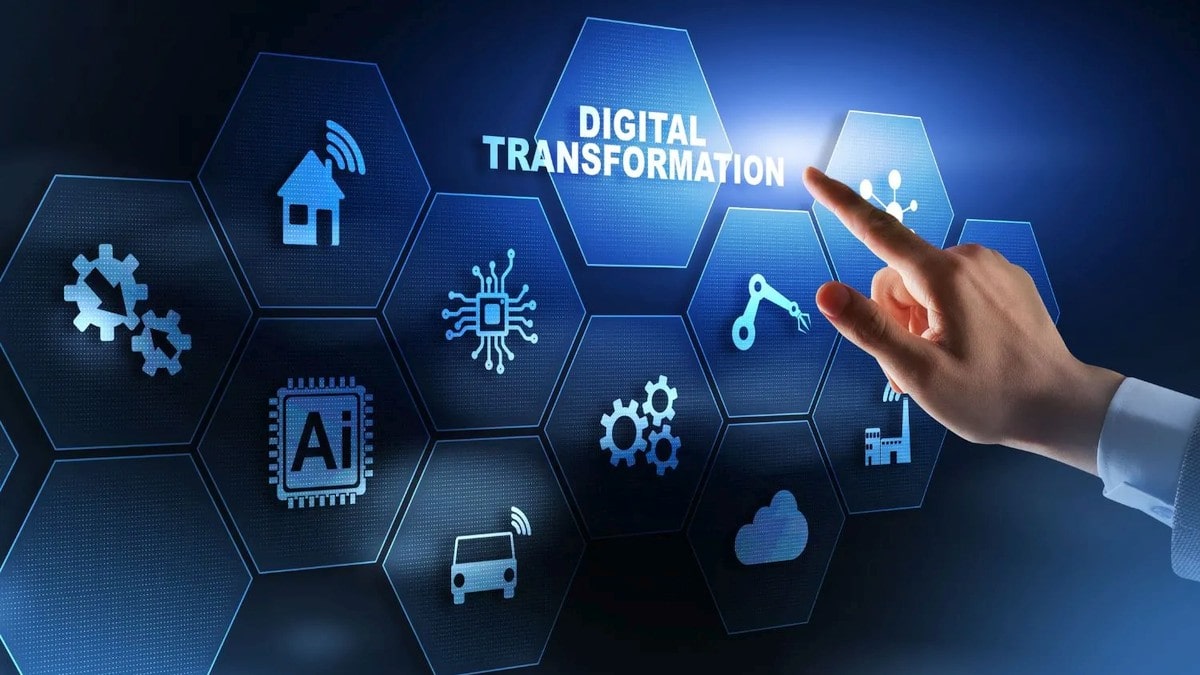
    Digital transformation is the integration of digital technology into all areas of a business to fundamentally change the way it operates and delivers value to customers. It is also a cultural shift that requires organizations to continually challenge the status quo, experiment and contemplate failure.

    Digital transformation is critical for all businesses, from small to large enterprises. This message comes through loud and clear from every conference, panel, article or study about how businesses can stay competitive and grow as the world becomes more digital. What is unclear to many business leaders is what digital transformation really means. Is this just a catchy way of saying move to the cloud? What are the specific steps we need to take? Should we plan for new jobs to help us create a framework for digital transformation or hire a consulting service? What parts of our business strategy need to change? Is it really worth it?

    This article aims to answer some of the most common questions about digital transformation and provide clarity, especially to CIOs and IT leaders, including lessons learned from peers and digital transformation experts. Because technology plays a critical role in an organization’s ability to evolve with the market and continuously increase value for customers, CIOs play a key role in digital transformation.